
Once the app is installed, the user must give consent for the use of the data.
IMPORTANT: When accessing the app for the first time, it is essential to click 'Always allow' on the geolocalisation consent, in order to start the app. Subsequently, geolocalisation can be deactivated/reactivated via a special button in the menu.
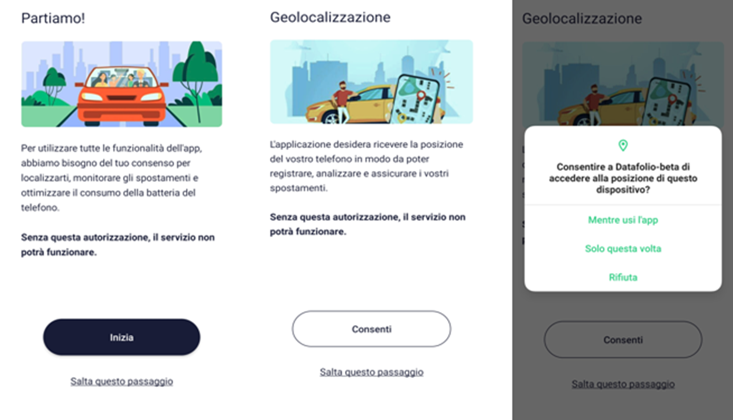
Click on 'Start' and 'Always Allow' for geolocalisation
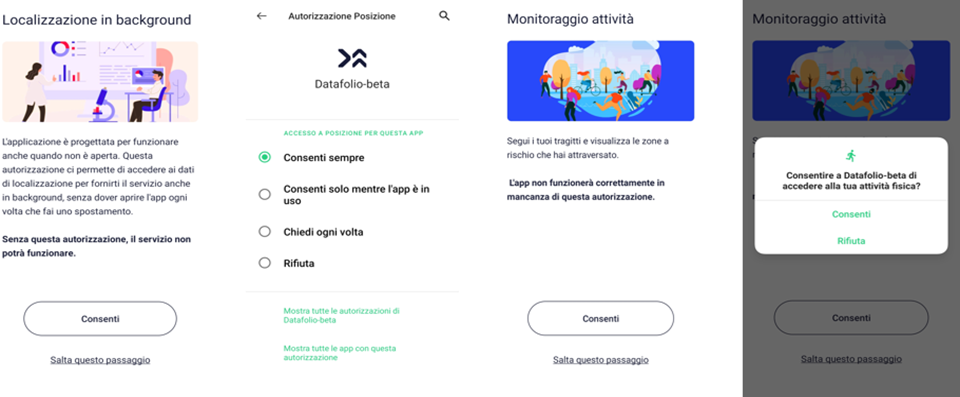
The user will allow background localisation and activity monitoring
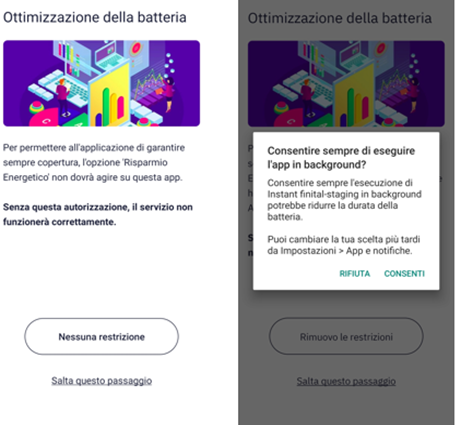
The user will optimise the battery by pressing 'No restriction'. This procedure varies depending on the smartphone model, in the case of Xiaomi it requires manual intervention directly from the settings.
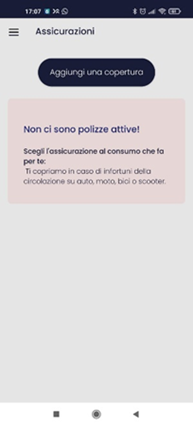
Once the initial configuration is complete, a new cover can be added
Comments
0 comments
Please sign in to leave a comment.