
The user is notified - via a mobile notification - each time a trip is processed. When the trip is completed, the app determines whether it is eligible for cover (e.g. whether the means of transport is among those included in the policy), and determines the cost.
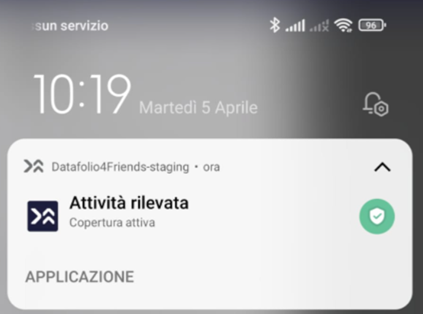
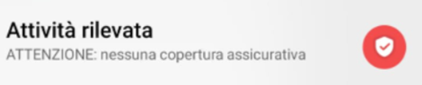
On Android**, while the Monitoring Function is active, the colour of the app's logo (within the notification) identifies the coverage status:
- Red icon means no policy is active.
- A green icon means that a policy is active.
Since coverage depends not only on subscription, but also on GPS location, the following notifications are also handled:
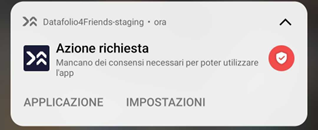
Consents required to use the app are missing:
- When no geolocation permissions have been given, the service is inactive.
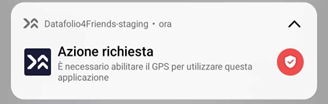
GPS must be enabled to use the application.
- When GPS is enabled, the service has arrived and is communicated with a notification.
Comments
0 comments
Please sign in to leave a comment.